
An AI powered note taking and knowledge management app

👋 Say Goodbye to Disorganized Notes: Meet NoteGen, Your AI-Powered Knowledge Companion!
For years, our digital notes have been stuck in a rut. We copy-paste, type frantically, and save links, only to end up with a sprawling mess of information thats hard to find, harder to connect, and impossible to leverage. Sound familiar?
Well, get ready to experience a paradigm shift in how you capture, create, and connect knowledge. Ive just stumbled upon an app thats truly changing the game: NoteGen.
NoteGen isnt just another note-taking app; its an intelligent assistant that transforms raw information into a structured, actionable, and deeply interconnected personal knowledge base.
📝 Capture Everything, Effortlessly: The "Record" Revolution
One of NoteGens standout features is its versatile "Record" capability. It recognizes that information comes in many forms, and it makes capturing them incredibly seamless:
- OCR Recognition: Snap a screenshot of text (from a book, a presentation, a document), and NoteGen instantly converts it into editable, searchable text. No more manual re-typing!
- Text Copy: The classic, but perfected. Copy text from anywhere – a webpage, an email, another document – and paste it directly into your notes. Pair this with the Clipboard Monitoring feature (yes, it has that too!), and you can automatically capture snippets as you browse.
- Illustration Records: Integrate images, diagrams, or drawings directly into your notes. Because sometimes, a picture is worth a thousand words.
- Link Records: Save external resources like articles, videos, or websites with embedded hyperlinks, making it easy to reference original sources.
- File Records: Attach PDFs, Word documents, spreadsheets, or even audio and video clips directly within your notes, keeping all related content in one central hub.
This means less fumbling and more focused capture, ensuring you never miss a vital piece of information.
✍️ From Raw Data to Brilliant Insights: The "Write" Power
Capturing information is just the first step. NoteGen truly shines in how it empowers you to make sense of it all with its intuitive "Write" feature. This is your blank canvas for:
- Original Content Creation: Type your own thoughts, brainstorm ideas, draft documents, or summarize complex information.
- Rich Text Editing: Format your notes with headings, bold/italic text, bullet points, checklists, and more, making your content readable and organized.
- Synthesis and Analysis: This is where you combine, analyze, and synthesize the information youve "recorded" into meaningful insights. Its where raw data transforms into knowledge.

🧠 Your Personal AI Knowledge Navigator: The Assistant Behind the Magic
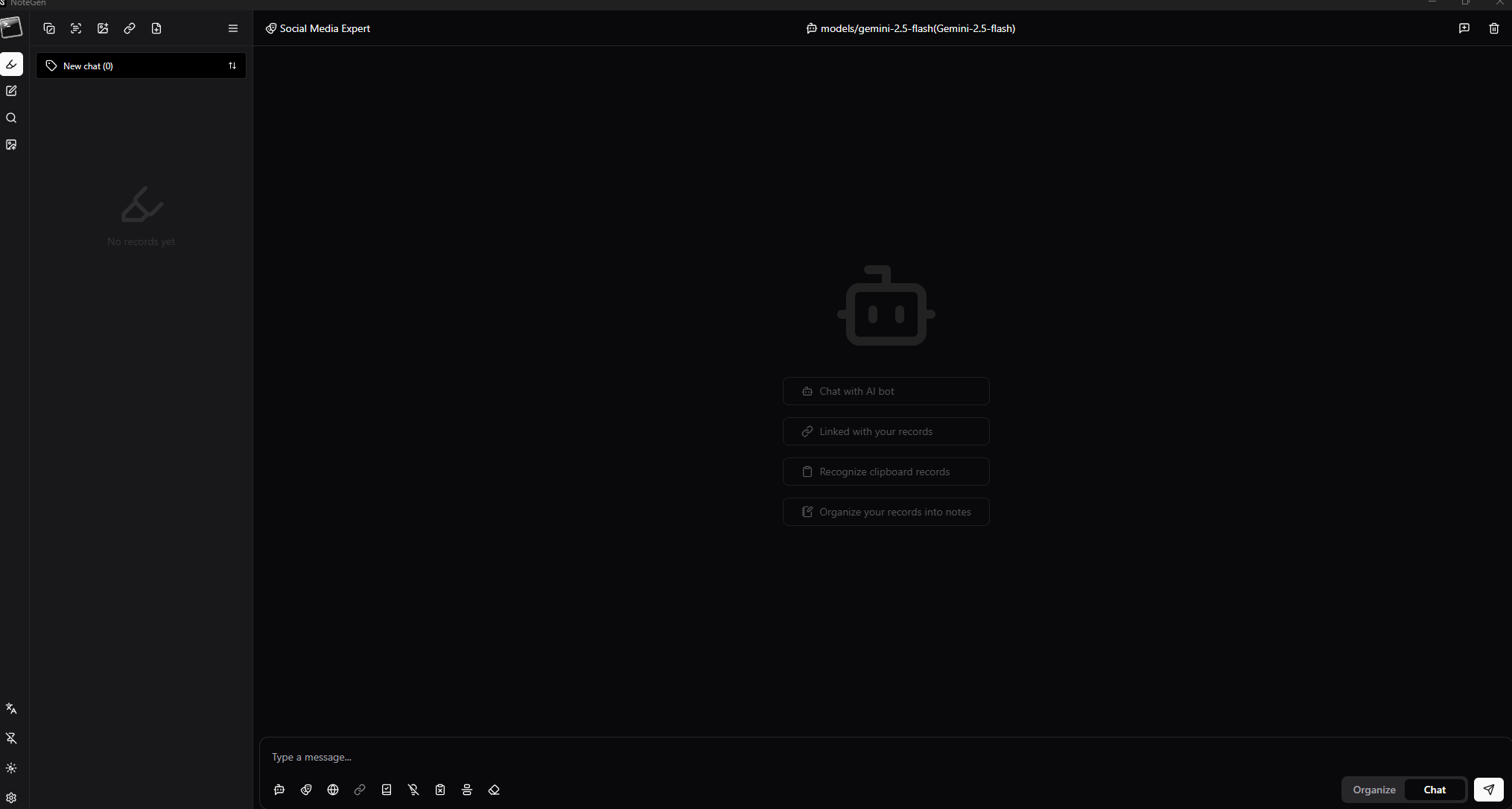
This is where NoteGen truly sets itself apart. Its powered by an intelligent assistant (just like the one youre "chatting" with here!) that works on all your recorded and written content.
-
"Chat" Mode: Need a quick answer about a concept in your notes? Want to brainstorm ideas? Just ask! This mode is your conversational partner for immediate questions and explanations.
-
"Organize" Mode: This is where the magic of knowledge management happens. Switch to "Organize" mode and command your AI to:
- Summarize long articles or conversations.
- Extract key points or action items.
- Suggest relevant tags for better categorization.
- Create outlines from disparate notes.
- Draft articles, tutorials, or even video scripts based on your recorded research!
- Identify connections between seemingly unrelated notes.

Imagine recording snippets from a dozen sources, and then asking NoteGen to "Draft an article based on these notes," or "Create a tutorial outline from these technical details." Its like having a research assistant and an editor rolled into one!
🔗 Building a Connected Web of Knowledge
NoteGen understands that true knowledge isnt isolated. It helps you build connections:
- Manual Linking: Embed illustrations, links, and files directly into your written text. While not explicitly detailed, most robust systems like this also allow you to link directly between notes (
[[Note Title]]). - AI-Suggested Connections: In "Organize" mode, the AI can proactively identify and suggest relationships between your notes, turning scattered information into a cohesive web.
- Timestamps: Every note is stamped with creation and modification dates, providing crucial chronological context and making it easy to track the evolution of your thoughts.
And yes, for those moments when you want to pick up exactly where you left off with your AI assistant, NoteGen allows you to search old conversations and resume them, preserving context and continuity!
✨ Why NoteGen is a Game-Changer
NoteGen is more than just an app; its a new way to interact with your information. It empowers you to:
- Stop simply storing, and start truly processing.
- Turn raw data into actionable insights and polished content.
- Build a dynamic, intelligent, and interconnected personal knowledge system.
- Boost your productivity and intellectual clarity.
If youre tired of digital clutter and crave a smarter way to manage your knowledge, you absolutely need to check out NoteGen. Its the AI-powered companion you never knew you needed, but wont be able to live without.
Ready to revolutionize your note-taking? Visit NoteGen to learn more! Lightweight: The installation package is only a few megabytes, free of charge, with no ads or bundled software.
Frequently Asked Questions (FAQ)
<details style="margin-bottom: 10px; border: 1px solid #ddd; border-radius: 4px; overflow: hidden;">
    <summary style="font-weight: bold; cursor: pointer; padding: 15px; background-color: #f8f8f8; color: #333; border-bottom: 1px solid #eee;">
        What is NoteGen?
    </summary>
    <div style="padding: 15px; background-color: #f9f9f9; line-height: 1.6; color: #333;">
        NoteGen is an intelligent AI-powered application designed to transform your raw information into a structured and interconnected knowledge base. It helps you capture, organize, and generate content from your notes.
    </div>
</details>

<details style="margin-bottom: 10px; border: 1px solid #ddd; border-radius: 4px; overflow: hidden;">
    <summary style="font-weight: bold; cursor: pointer; padding: 15px; background-color: #f8f8f8; color: #333; border-bottom: 1px solid #eee;">
        How does NoteGen help with information capture?
    </summary>
    <div style="padding: 15px; background-color: #f9f9f9; line-height: 1.6; color: #333;">
        NoteGen offers a versatile "Record" feature that allows you to capture information in various ways: OCR recognition (for screenshots), text copying, and saving illustrations, links, and files (PDFs, documents, etc.).
    </div>
</details>

<details style="margin-bottom: 10px; border: 1px solid #ddd; border-radius: 4px; overflow: hidden;">
    <summary style="font-weight: bold; cursor: pointer; padding: 15px; background-color: #f8f8f8; color: #333; border-bottom: 1px solid #eee;">
        How does NoteGen's AI assistant work?
    </summary>
    <div style="padding: 15px; background-color: #f9f9f9; line-height: 1.6; color: #333;">
        NoteGen's AI assistant operates in "Chat" and "Organize" modes. In "Chat" mode, it answers your questions about your notes. In "Organize" mode, it can summarize, extract key points, suggest tags, create outlines, or even draft articles from your information.
    </div>
</details>

<details style="margin-bottom: 10px; border: 1px solid #ddd; border-radius: 4px; overflow: hidden;">
    <summary style="font-weight: bold; cursor: pointer; padding: 15px; background-color: #f8f8f8; color: #333; border-bottom: 1px solid #eee;">
        Does NoteGen allow linking information together?
    </summary>
    <div style="padding: 15px; background-color: #f9f9f9; line-height: 1.6; color: #333;">
        Yes, NoteGen helps you build a connected knowledge network. It allows for manual linking (illustrations, links, files), and in "Organize" mode, the AI can proactively suggest relationships between your notes, transforming scattered information into a cohesive web.
    </div>
</details>